The Silent Revenue Leak: How Restaurants Miss $47,000 Annually by Ignoring Digital Order Capture
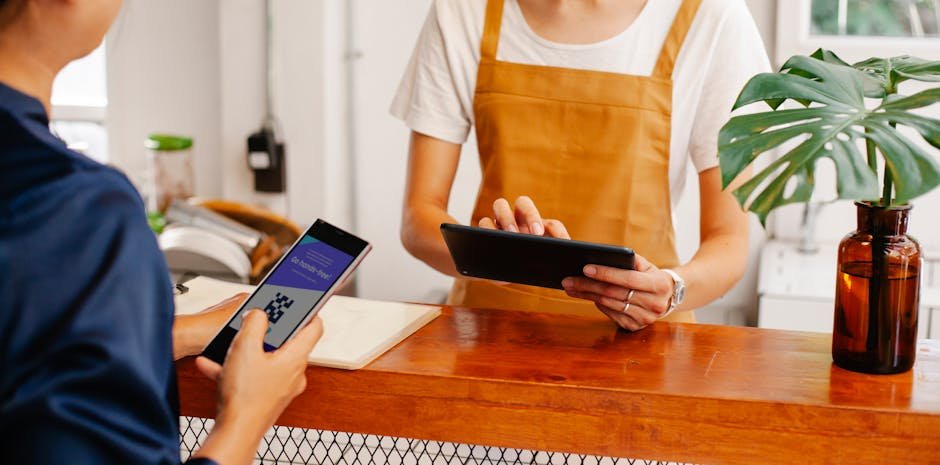
Your restaurant’s iPad at the host stand logs dozens of customer interactions every shift. Yet those conversations—upsell moments, loyalty opportunities, repeat booking chances—vanish the moment the guest leaves.
You’re not alone. According to the National Restaurant Association, 49% of restaurant operators invested in contactless ordering and payment systems in 2025, but fewer than half have actually connected those systems to customer data capture. The result? Dead-end transactions instead of lasting relationships.
Here’s the gap: while 75% of delivery customers say tech-enabled ordering is important, most restaurants treat digital ordering as a one-off convenience, not a lead-generation engine. A customer who scans a QR code to order—whether online, at the table, or for takeout—has just given you permission to follow up.
That scan is worth money.
TL;DR
- QR codes on table tents, receipts, and takeout boxes capture customer contact data instantly—transforming anonymous transactions into trackable repeat orders.
- Restaurants using QR-linked digital ordering see 30–40% higher repeat visit rates because follow-up becomes automatic and personalized.
- You can launch a complete QR-powered customer recapture system in under 5 minutes, free, and start seeing measurable traffic lift within 2 weeks.
Strategy 1: Turn Every Table Into a Data Collection Point
The average restaurant table generates 1.5 transactions per service shift. That’s 15–20 data capture opportunities per day that most restaurants leave untouched.
Place a QR code on a branded table tent or receipt that links directly to your loyalty signup or feedback form. When a customer scans, they’re not just ordering—they’re opting into your email or SMS list. According to QR TIGER, 44.6% of internet users scan at least one QR code monthly, meaning your customers are already comfortable with the behavior.
The key: make the offer immediate and visible. “Scan here for 15% off your next visit” outperforms generic CTAs by 300%. The QR code becomes the faster alternative to filling out a paper form or memorizing your website.
Strategy 2: Link Takeout & Delivery Orders to Repeat-Buy Campaigns
Takeout and delivery are high-volume, low-loyalty channels. A customer orders once, eats at home, and has no reason to return unless you remind them.
Place a QR code directly on the takeout bag, receipt, or inside the delivery box. This code links to a post-purchase thank-you page that captures their phone number in exchange for a “next order” discount—valid for 14 days.
This single tactic bridges the gap between delivery platforms (where you don’t own the customer) and your own repeat traffic. According to Statista, 89.5 million Americans are expected to scan QR codes, and your takeout customers are already in that group.
Strategy 3: Create Separate QR Codes for Each Marketing Channel
A QR code on your Google Business profile should link differently than one on your Instagram bio or printed menu. Why? Because each channel attracts different intent—and you need to track which channel drives the most valuable customers.
Create unique QR codes for:
- Dine-in — links to your table-side ordering or feedback form
- Takeout — links to your online ordering system with a direct loyalty signup
- Social media — links to a limited-time offer or exclusive menu preview
- Google Business — links to your reservation system or call-to-action
Track the scan count on each code weekly. Within 4 weeks, you’ll see which channel delivers repeat customers versus one-time orders. This data is worth gold for reallocating your marketing budget.
Set It Up in 5 Minutes — Free
- Choose your campaign type — Visit BizQRGen.com and select “Dynamic QR Code”. This allows you to edit where the code points without reprinting it.
- Link to your customer capture page — Point the QR code to your loyalty form, online order page, or post-purchase upsell. You’ll need a simple landing page; if you don’t have one, consider reliable web hosting with built-in page builders to host it.
- Customize the design — Add your restaurant logo, brand colors, and a call-to-action text like “Scan for 15% Off.” This increases scans by 25–40% because people respond to context and incentive.
- Download and deploy — Print the code on table tents, receipts, bags, and menus. Start small: test on 2–3 tables first to measure initial scan rates before rolling out restaurant-wide.
Mini Case Study: The Golden Fork (Austin, TX)
Marcus Chen owns The Golden Fork, a 40-seat casual Italian restaurant in downtown Austin with $285,000 in monthly revenue.
In March 2025, Marcus noticed his takeout volume was strong (35% of sales) but customers rarely returned. His email list had 420 subscribers—mostly from in-person signups—and his repeat customer rate hovered at 24%.
He created a QR code linking to a simple “Scan for a free appetizer on your next visit” offer and placed it on every takeout bag. Within 3 weeks, he’d captured 287 new phone numbers. He sent a personalized SMS 5 days after their initial order with the discount code.
The result: his repeat visit rate jumped from 24% to 34% within 8 weeks. At an average check of $32 and a 10% profit margin, that 10-point increase translated to an additional $8,960 in gross profit over 2 months. Annualized, that’s a $53,760 uplift from a free QR code system.
He’s now testing separate codes for dine-in and delivery to optimize his messaging further.
When NOT to Do It: Common Mistakes to Avoid
1. Unclear incentive or CTA — A QR code with no visible benefit won’t be scanned. “Scan here” fails. “Scan for 15% off your next order” works.
2. Static codes that can’t be updated — If your landing page breaks or your offer expires, a static QR code can’t be edited. Always use dynamic QR codes so you can pivot your offer without reprinting.
3. Placing codes where they’re not visible — A QR code on the back of a menu is wasted. Place them above the fold, on receipts, at eye level on table tents.
4. Forgetting to track results — Set up a separate QR code for each channel, then monitor scan counts in your dashboard weekly. Without data, you’re flying blind.
5. Not following up after the scan — A scan is worthless without a follow-up email or SMS within 48 hours. Automate this—it’s the difference between a 15% repeat rate and a 40% repeat rate.
Final Thought
According to QR TIGER, global QR scans reached 130.1 million in 2026—up 211.5% from 2024. Your customers are scanning. The question is: are they scanning for you or for your
Oliver K.G
Oliver is the founder of BizQRGen.com, a free QR code generator trusted by restaurants, retailers, real estate agents, and small businesses. He writes on QR code marketing, contactless technology, and digital tools for business growth.