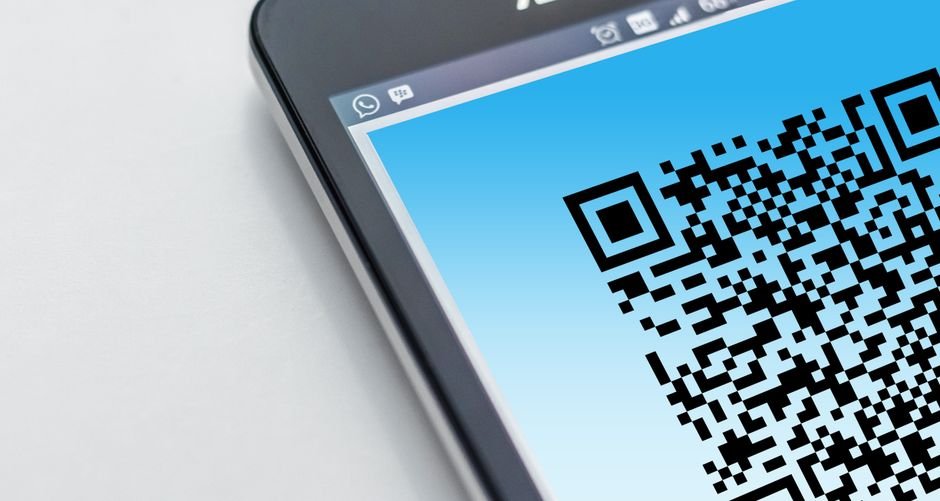
There’s a moment that happens at almost every in-person event: the front desk becomes a bottleneck. Attendees arrive, stand in line, fill out paper forms, hunt for their name on a clipboard, get a physical badge printed. The entire process takes 5–10 minutes per person. When you’re hosting 200+ guests, that’s hours of wasted time before your event even starts.
Meanwhile, other event organizers have already moved on. They’re scanning QR codes, checking guests in within 15 seconds, and collecting real-time data that helps them optimize future events.
Here’s what’s changed: QR code check-in technology has become so simple and affordable that there’s no longer an excuse to do things the old way. And the numbers back it up.
TL;DR
- QR code check-in reduces entry wait times by 70% compared to paper-based registration, turning a friction point into a competitive advantage.
- Real-time attendance data and automated guest lists let you make smarter decisions during the event and build better insights for the next one.
- You can set up a complete QR-based check-in system in under 5 minutes for free—no coding, no expensive event software, just a simple link your guests scan.
Why Event Registration Lines Are Killing Your Attendee Experience
According to Eventbrite, QR code check-in reduces entry wait times by 70% versus paper tickets. That single stat should tell you everything you need to know about where the industry is heading.
The problem with paper-based registration isn’t just the time cost. It’s the friction. Attendees show up excited or stressed or both, and the first thing they encounter is a slow, confusing, analog process. They’re checking their phone, looking around, wondering if they’re in the right line. By the time they get their badge, some of that initial momentum is gone.
And from an organizer’s perspective, you’re flying blind. You don’t know how many people have actually arrived until you do a manual headcount. You can’t send real-time updates. You can’t identify no-shows or last-minute walk-ins. The data stays trapped on a clipboard until days after the event.
What Top Event Organizers Are Doing Instead
Create a Unique QR Code for Each Guest and Send It Ahead
The cleanest approach is to generate a personalized QR code for each registered attendee and send it to them via email 24–48 hours before the event. The code is unique to their registration, so when they scan it at the door, their information auto-populates in your check-in system.
This eliminates the front-desk lookup entirely. No more “What’s your name?” No more searching a list. Guest scans. System confirms. Badge prints. Next person. The entire flow takes 10–15 seconds.
The secondary benefit: attendees feel like your event is professional and modern from moment one. They download a code from an email, scan it, and move forward. It signals that you’ve invested in their experience.
Use a Single QR Code for Walk-Ins and Build a Dynamic Guest List
Not every event has 100% pre-registration. If you expect walk-ins or last-minute attendees, create a master QR code that links to a simple form. When guests scan it, they enter their name and basic information (email, company, phone—whatever you need), and they’re instantly checked in.
Your system captures this data in real-time. So even if someone didn’t pre-register, they’re in your database within seconds. You know they came. You have their contact info. You can follow up after the event with the exact same personalized message you’d send to registered attendees.
According to Cvent’s 2024 survey, 78% of event organizers now consider digital check-in standard practice. If you’re still using paper, you’re in the minority—and your attendees notice.
Link QR Codes to Post-Event Surveys and Feedback Forms
The check-in process is just the beginning. After your event, place QR codes at the exit that link to a feedback form or survey. Attendees scan, answer 4–5 quick questions, and submit. No friction. No asking them to remember to email you later.
This gives you immediate insight into what worked, what didn’t, and what your guests want to see next time. Combine this with your real-time attendance data, and you have everything you need to run a stronger event next time.
Print QR Codes on Event Materials and Badges for Networking
Once guests are checked in, you can create a second set of QR codes printed on their badges that link to their LinkedIn, portfolio, or contact form. This turns badges into networking tools. Instead of awkwardly exchanging business cards, attendees scan each other’s badges and connect digitally before they even leave the venue.
It’s a small touch, but it transforms your event from a one-time gathering into a networking engine.
Set It Up in 5 Minutes — Free
Here’s how to build a complete QR-based check-in system today:
- Create your registration form — Use Google Forms, Typeform, or your favorite form builder. Ask for name, email, company, and any custom fields you need. This form will be your single source of truth for attendee data.
- Generate unique QR codes for each registered guest — Go to BizQRGen.com and create free QR codes that point to a check-in confirmation link (e.g., “https://yoursite.com/checkin?name=John-Doe&email=john@example.com”). Generate one code per guest and download them as a batch.
- Send QR codes to guests via email — Create an email template that says “Scan this code at check-in to skip the line.” Include the QR code image and a backup text link. Send 24–48 hours before your event.
- Set up a simple check-in station at your venue — Use a smartphone, tablet, or laptop with a QR scanner app pointed at a Google Sheet or simple database. When each guest scans, manually mark them as “arrived” and print their badge. Alternatively, use a free QR scanner that auto-logs data to a spreadsheet.
Real-World Example: Marcus Webb’s Corporate Networking Summit
Marcus Webb, founder of North Valley Tech Connections in Sacramento, was hosting a quarterly networking summit with 180 expected attendees. His old process: two staff members at a check-in desk, paper sign-in sheet, manually printed badges. Average check-in time: 8 minutes per person. The line stretched out the door for the first 45 minutes.
He switched to QR-based check-in three months ago. Now: same 180 attendees, one staff member scanning QR codes, average check-in time: 12 seconds per person. Total front-desk congestion: gone within 10 minutes of doors opening.
The secondary win: Marcus now has real-time data. He can see who’s arrived, send a Slack alert to session leaders (“Your panelists are here”), and follow up with no-shows the same day. He also added a post-event survey QR code and got a 62% response rate—up from 8% when he relied on email reminders. Those insights helped him refine his next summit. Attendee satisfaction scores jumped from 4.1 to 4.7 out of 5.
When NOT to Use QR Codes for Event Check-In
Weak WiFi or no cellular coverage at your venue. If guests can’t scan, the system breaks. Test your venue’s connectivity before the event and have a backup plan (printed badges or a basic tablet check-in) just in case.
Guests without smartphones or unfamiliar with QR scanning. For older or less tech-savvy audiences, consider hybrid check-in: QR codes for those who want them, plus a traditional backup line.
Events with high security requirements. If you need to verify IDs or conduct background checks at the door, QR check-in alone won’t suffice.
Oliver K.G — Founder, BizQRGen
Oliver is the founder of BizQRGen.com, a free QR code generator trusted by restaurants, retailers, real estate agents, and small businesses. He writes on QR code marketing, contactless technology, and digital tools for business growth.