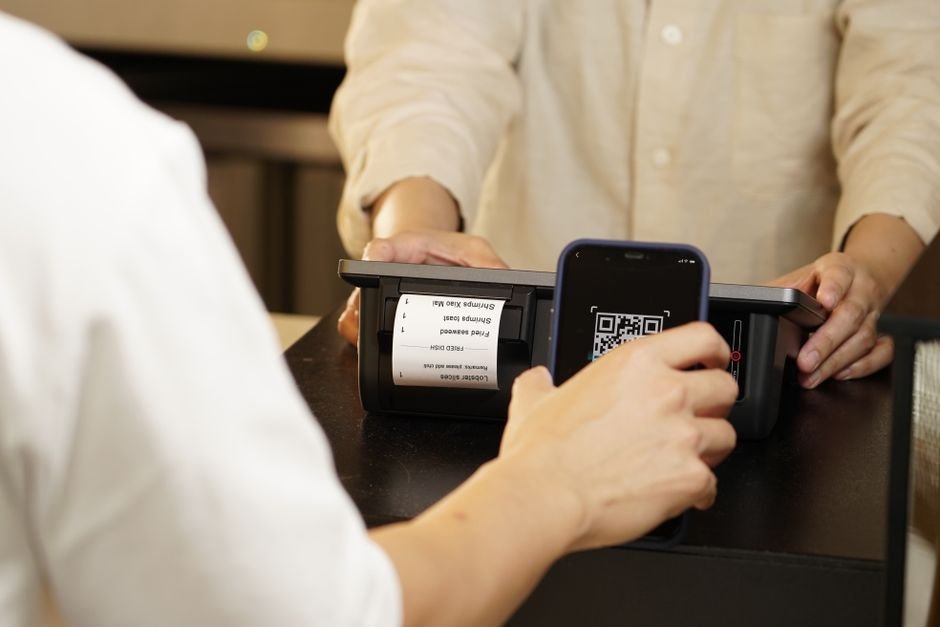
How Free QR Code Marketing Puts More Customers in Seats
You’re watching potential customers walk past your restaurant every single day. They glance at your menu posted in the window, squint at the small print, then keep walking to the place next door with better visibility. Meanwhile, your competitors are filling seats while you’re stuck with outdated marketing that fails to convert foot traffic into revenue.
The brutal truth? Your current menu display and marketing materials are actively driving customers away. But there’s a simple solution that takes 5 minutes to implement and costs absolutely nothing.
TL;DR: What You’ll Learn
- How to instantly make your menu accessible to every smartphone user walking by your restaurant
- The exact 4-step process to create professional QR code marketing materials in under 5 minutes
- Real case study showing how one restaurant increased walk-in traffic by 34% using this free strategy
Turn Every Window Shopping Moment Into a Customer
Make Your Menu Instantly Accessible
Stop forcing customers to press their faces against your window to read tiny menu text. Create a digital menu that customers can access instantly with their phones. Upload your current menu as a PDF or create a simple webpage, then generate a QR code that links directly to it.
Place this QR code prominently in your window with clear text: “Scan for Full Menu & Pricing.” Position it at eye level where people naturally look when passing by. The key is making it obvious and effortless – no one should have to hunt for your QR code.
Pro tip: Include your hours and phone number on the same digital menu page. This eliminates the second most common question potential customers have after “what’s on the menu?”
Automate Your Table Ordering Process
Place QR codes directly on every table that link to your digital menu. Customers can browse, decide, and even pre-order before your server arrives. This speeds up table turnover and reduces pressure on your wait staff during busy periods.
Create different QR codes for lunch and dinner menus if you offer different options throughout the day. Your customers get exactly what they need without confusion, and your staff can focus on service instead of explaining menu items.
Include a direct link to place orders online if you offer takeout. Every dine-in customer becomes a potential repeat takeout customer when ordering is this convenient. For comprehensive guidance on implementing professional QR menu systems, proper setup can transform your entire ordering process.
Drive Social Media Engagement Effortlessly
Generate QR codes that link directly to your Google Business profile, Yelp page, or Instagram account. Place these strategically throughout your restaurant – on receipts, table tents, and bathroom mirrors.
Create location-specific social campaigns by linking QR codes to Instagram posts featuring that exact table or area. Customers love sharing content that feels personalized to their experience. A simple “Share your meal from Table 12” campaign can generate dozens of organic posts.
Track which QR codes get the most scans to understand customer behavior. If your bathroom QR code gets more engagement than your table QR codes, you know where to focus your marketing efforts.
Collect Customer Data While They Wait
Create QR codes that link to a simple feedback form or email signup offering a 10% discount on their next visit. Place these on tables, receipts, and waiting area materials. The key is timing – catch customers when they’re already engaged with your brand.
Design your signup form to collect birthdays, anniversary dates, and food preferences. This data becomes the foundation for automated marketing campaigns that bring customers back without ongoing effort from you.
Set up automated email sequences triggered by QR code signups. Welcome new subscribers immediately, then send targeted offers based on their visit frequency and preferences.
Set It Up in 5 Minutes — Free
Step 1: Create or upload your digital menu. If you don’t have a website, use a simple Google Doc set to “public viewing” or create a basic page through reliable web hosting providers that offer one-click restaurant templates.
Step 2: Visit BizQRGen to create your free QR code and paste your menu URL into the generator. Choose high contrast colors (black on white works best) and download your QR code.
Step 3: Create simple signage using any design tool or Microsoft Word. Include your QR code with clear instructions like “Scan for Full Menu” or “View Our Complete Menu & Prices.”
Step 4: Print and place your QR codes strategically. Window displays, table tents, receipts, and business cards are your highest-impact locations. Test each QR code with your phone before placing it to ensure it works perfectly.
Mini Case Study: Maria’s Bistro Increases Walk-ins by 34%
Maria’s Bistro in downtown Seattle was losing potential customers to the trendy restaurant next door. Despite having better food and lower prices, their handwritten window menu was impossible to read from more than three feet away.
Maria implemented QR codes linking to a simple digital menu. Within 30 days, she tracked a 34% increase in walk-in customers during lunch hours. Her average daily revenue increased from $1,200 to $1,680 – an additional $480 per day.
The most surprising result? Customer feedback improved dramatically. People appreciated being able to review the menu and prices before entering, eliminating the awkward “this is too expensive” moments that hurt both customer experience and staff morale.
When NOT to Do This
Don’t create QR codes that link to broken or slow-loading pages. Test your links obsessively – a broken QR code is worse than no QR code at all. Your customers will assume your restaurant is poorly managed if your basic technology doesn’t work.
Avoid placing QR codes where they’re hard to scan. Skip glossy surfaces that create glare, extremely small sizes, or locations where people would feel awkward pulling out their phones. The goal is effortless access, not a technological challenge.
Never use QR codes as your only menu option. Keep physical menus available for customers who prefer traditional ordering or don’t have smartphones. QR codes should enhance your service, not replace fundamental accessibility.
Your Next Move
Every day you delay implementing this strategy costs you potential revenue. Customers now expect this level of convenience, and restaurants that adapt quickly capture market share while others scramble to catch up.
Start with one simple QR code linking to your menu. Create your free QR code at BizQRGen and have it printed and placed within 24 hours. Track your results for two weeks, then expand to additional applications based on what works best for your specific customer base.
The restaurant industry rewards businesses that make dining effortless for customers. QR codes are no longer optional – they’re essential infrastructure for modern restaurants that want to thrive.

Oliver K.G
Oliver is the founder of BizQRGen.com and a digital marketing strategist focused on helping small businesses bridge print and digital marketing with QR code technology. He covers practical growth tactics for restaurants, retailers, real estate agents, and service businesses.
Related Articles
- QR Code Menus Boost Restaurant Revenue 35% in 30 Days
- QR Code Marketing Strategies That Boost Restaurant Sales
Ready to try it yourself? Use the free QR code generator at BizQRGen — no signup required.