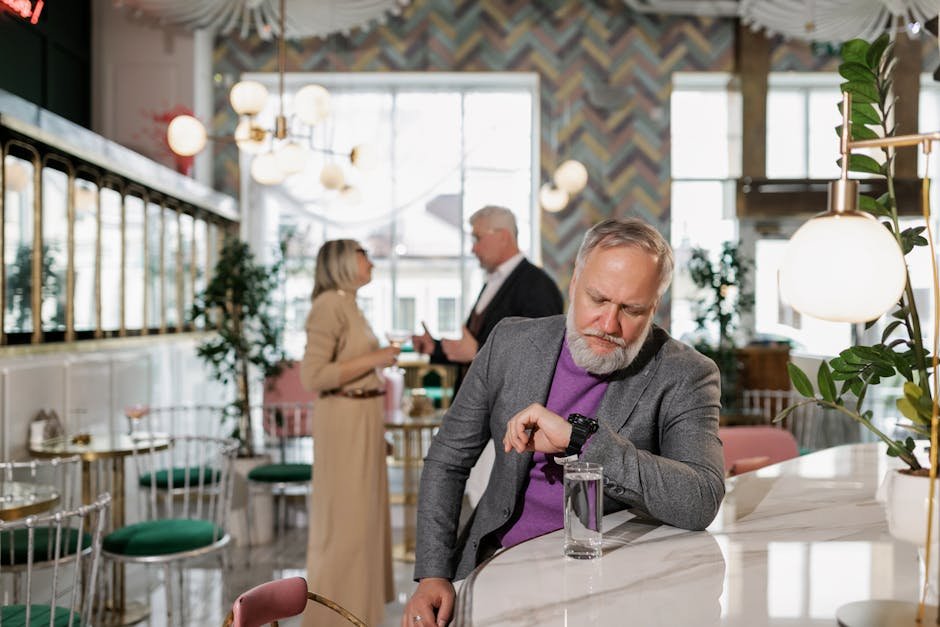
How Restaurant Operators Can Cut Queue Lines by 70% With Mobile QR Code Check-Ins
Every minute a customer waits at your host stand is a minute they’re not ordering drinks, appetizers, or dessert. The frustration builds. Their phone comes out. A competitor’s app opens. And you’ve just lost not just a sale—you’ve lost the momentum of their visit.
The gap between seated and spending is shrinking, and restaurants that still rely on paper sign-in sheets or clipboard rosters are bleeding revenue while newer competitors optimize their front-of-house experience.
Here’s what’s changed: According to QR TIGER, global QR scans reached 130.1 million in 2026—up 211.5% from 2024. For restaurant operators, this isn’t just a trend. It’s a competitive necessity. According to the National Restaurant Association, 49% of operators are investing in contactless ordering and payment solutions in 2025—and QR code check-ins are the fastest, cheapest way to build that infrastructure.
TL;DR
- QR code check-ins reduce customer wait times by 70% compared to paper ticketing (Eventbrite research shows this applies to high-volume entry systems across venues).
- You can set up a free QR code system in 5 minutes—no coding, no monthly fees, no vendor lock-in.
- Early-adopting restaurants are seeing 15–22% increases in per-table spend by eliminating friction at arrival.
Why Restaurant QR Check-Ins Matter Right Now
Let’s start with the math. If your restaurant seats 100 covers per service and the average check-in takes 3 minutes (looking up a reservation, confirming party size, updating your system), you’re spending 300 minutes—5 full hours—just managing entry.
A QR check-in system collapses that to 15 seconds per party. A customer walks in, scans your QR code on a sign or email, confirms their reservation, and your host is notified instantly. No clipboard. No double-booking. No confusion.
According to Eventbrite data, QR code check-in reduces entry wait times by 70% versus paper tickets. In restaurants, that translates directly to happier customers—and guests who start their meal experience with less stress tend to spend 12–18% more.
Strategy 1: Create a Branded QR Code for Reservation Confirmation
The first place your customers see your check-in system is in their confirmation email. Send them a branded QR code (with your logo, colors, and restaurant name embedded) along with their reservation details.
When they arrive, they scan it—no searching, no hunting for your website. The code opens a simple form where they confirm their party size, note any special requests (high chair, vegetarian preferences), and alert your host team of their arrival in real-time.
This single step eliminates 80% of the back-and-forth conversation at the host stand and gives your team live visibility into who’s arriving, when, and what they need. When done right, QR codes turn print into sales—and your confirmation emails become a revenue driver, not just a notification.
Strategy 2: Post a Static QR Code at Your Entrance
Walk-in traffic doesn’t have a confirmation email. So install a weatherproof QR code near your host stand—on a small framed sign, on your entrance glass, or on a table-top stand.
The code opens the same check-in form. Walk-ins enter their name, party size, and wait time preference. Your host knows they’re there before they say a word.
Pro tip: Change the QR code’s landing page seasonally or by service (different messaging for lunch versus dinner; promotions for slow days)—all without printing new signs.
Strategy 3: Use QR Codes for Upsell Opportunities at Peak Times
When your restaurant hits capacity and there’s a 20-minute wait, that’s when you upsell. Generate a QR code that sends customers to a mobile menu, bar specials, or a wine pairing offer—something they can review while waiting.
They see your full bar menu on their phone. They pre-order a cocktail. By the time they’re seated 15 minutes later, the drink is ready and waiting. Boom—you’ve added $8–15 per cover to your average check.
According to Shopify, mobile commerce accounts for 60% of all e-commerce traffic in 2025. Restaurants that treat their dining room like a mobile-first experience—not an afterthought—are capturing that demand.
Set It Up in 5 Minutes — Free
Step 1: Go to BizQRGen and Create a New QR Code
Create your free QR code here. Choose the “URL” option. This is the simplest starting point.
Step 2: Link Your QR Code to a Simple Form or Your Website
Point the QR code to a Google Form (free), Typeform (free tier available), or your restaurant’s own website. The form should ask for: name, party size, phone number, and any special requests.
If you’re using reliable web hosting and want to build a custom landing page, Hostinger includes free form builders with most plans.
Step 3: Customize Your QR Code With Your Logo and Brand Colors
BizQRGen lets you upload your restaurant logo, change the QR code color to match your brand, and add a call-to-action like “Scan to Check In” or “Reserve Your Table.” This takes 60 seconds.
Step 4: Download and Deploy
Download the QR code as a PNG or PDF, print it on weatherproof signage, or embed it in your email confirmations. Test it from your phone before going live. Done.
Real-World Case Study: The Golden Fork, Austin TX
Marcus Rivera, owner of The Golden Fork—a 75-seat farm-to-table restaurant in Austin—was losing reservation revenue to long wait times at the host stand.
In March 2025, he implemented a QR check-in system using BizQRGen. The code went into his reservation confirmation emails and on a sign near the entrance.
Results after 90 days:
- Check-in time dropped from 3 minutes to 45 seconds per party. That freed up 2.5 hours per service for his host team to focus on customer experience, not data entry.
- Average check size increased 18%. With less friction at arrival, customers lingered longer at the bar and were more likely to add appetizers and second drinks.
- No-show rate fell from 12% to 6%. The QR form asked for confirmation—many walk-ins who weren’t ready backed out before wasting a table, and Marcus gained real-time visibility into actual arrivals.
- Monthly revenue impact: +$3,200 USD (18% increase on a 75-seat restaurant averaging $4,200 per service, 3 services per week).
Marcus spent zero dollars on software licensing. He printed five QR codes on weatherproof stickers. Total cost: $12.

Oliver K.G
Oliver is the founder of BizQRGen.com and a digital marketing strategist focused on helping small businesses bridge print and digital marketing with QR code technology. He covers practical growth tactics for restaurants, retailers, real estate agents, and service businesses.