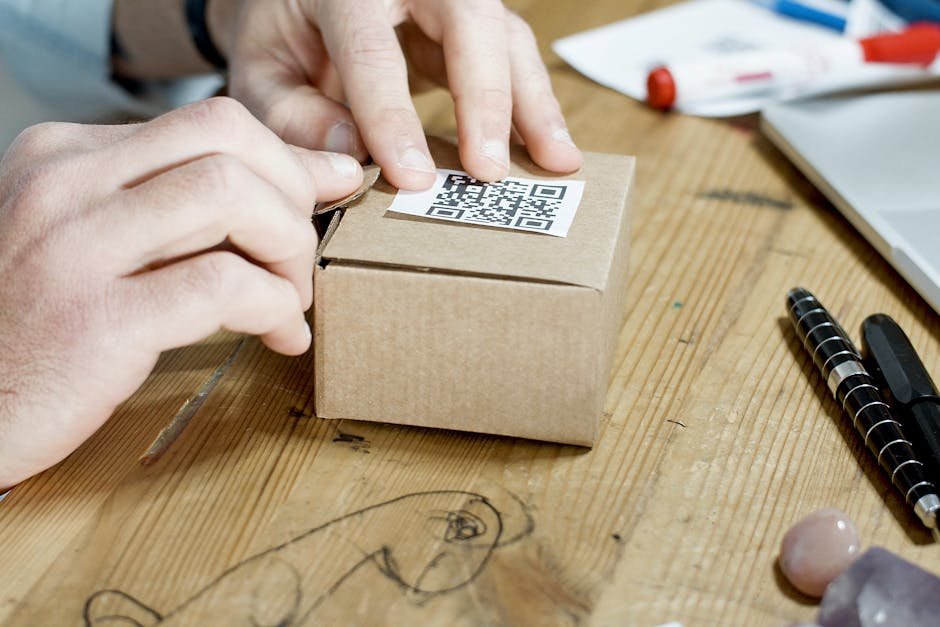
How to Turn Static Print Marketing Into Digital Gold With QR Codes
Your business card sits on a prospect’s desk. Your flyer gets tossed in the recycling bin. Your direct mail piece gets lost in the inbox shuffle.
The problem isn’t your message—it’s the medium. Print marketing struggles because it doesn’t bridge the gap between physical and digital. But what if it could?
That’s where QR codes come in. They’re the missing link that turns a piece of paper into a portal to your digital presence, instant sales pages, appointment schedulers, and lead capture systems. When done right, they can increase your conversion rates by 30-40% and create trackable, measurable campaigns.
TL;DR: What You’ll Learn
- QR codes dramatically increase response rates by creating frictionless pathways from print to digital action—no typing URLs, no guessing where to find you.
- You can track every scan to measure ROI on print campaigns, something impossible with traditional QR codes or bare URLs.
- Setup takes 5 minutes using free QR code generators, and requires zero technical skill or marketing budget.
Strategy 1: Use QR Codes to Drive Appointment Bookings From Print Materials
Business cards, flyers, and postcards are designed for first impression. But they’re terrible at closing sales because they require a follow-up action that 90% of people won’t take.
A QR code changes that math. Embed a code on your business card that links directly to your appointment scheduling page. Your prospect doesn’t need to search for your website, find the “Contact Us” section, or remember to call. They scan. They book. Done.
This works best for service-based businesses: contractors, consultants, beauty professionals, real estate agents, and fitness coaches. The friction between “interested” and “booked” drops to near zero.
Action step: Design your business card with the QR code in the bottom corner (or top right, where it’s immediately visible). Make sure your scheduling link is mobile-optimized since 95% of QR scans happen on smartphones.
Strategy 2: Create Direct Mail Campaigns That Are Actually Measurable
Direct mail has one massive advantage over digital ads: it gets *physical* attention. But it has one fatal flaw: you can’t track opens, clicks, or ROI without a response mechanism built in.
A QR code solves this. Every scan is tracked. You know exactly how many people opened that postcard, how many landed on your page, and how many converted to customers. This data is gold.
Create a unique QR code for each mailing campaign, region, or offer. Your mail piece might say: “Scan for 20% off your first order” with the unique code below. When prospects scan, they land on a landing page that tracks the campaign source automatically.
Action step: Use a UTM-enabled QR code generator that tracks scans in real time. Start with a test budget of $500-$1,000 for your first mailing to 2,000-5,000 local prospects. If your response rate hits 2-5%, you’ve found a repeatable revenue channel.
Strategy 3: Turn Print Into a Lead Capture Engine
Your flyer, event poster, or printed proposal is fighting for attention in a sea of digital noise. Make it do double duty: communicate your value *and* capture contact information.
A QR code can link to a simple form that takes 10 seconds to complete. “Scan to download our free guide” or “Scan to see if you qualify for financing.” No email required upfront—just a name and phone number. You’re building a list of warm prospects, not cold ones.
This is particularly effective for B2B companies using print at trade shows, conferences, or industry events where decision-makers are actively looking for solutions. For retail and in-store applications, QR codes can also turn foot traffic into sales by creating seamless paths from physical locations to digital purchases.
Action step: Create a single landing page with a lead capture form. Generate a dynamic QR code that links to it. Test different call-to-action copy on different print runs to see which resonates with your audience.
Set It Up in 5 Minutes—For Free
BizQRGen.com makes this dead simple. Here’s exactly how to create your first campaign QR code:
- Go to BizQRGen.com and click “Create QR Code.” No account required for your first code.
- Paste your booking page URL or landing page link into the input field. If you use appointment software like Calendly, Acuity Scheduling, or HubSpot—just grab your booking link and paste it in.
- Customize the design. Add your logo, brand colors, or a call-to-action button overlay like “Scan to Book” or “Scan for Offer.” This increases scan rates by 20-30% versus plain QR codes.
- Download and print. Save the high-resolution PNG or PDF file. Drop it into your print design at 1 inch × 1 inch minimum (larger is better for print). You’re done.
The whole process takes 4 minutes. Your print materials are now digital conversion machines.
Case Study: Local Plumbing Company Adds $8,400/Month in Revenue
A local plumbing contractor in Austin, TX was spending $2,500/month on neighborhood flyers and service mailers. Response rate? Abysmal. Maybe 2-3 calls per month, often from non-qualified leads.
They added a QR code to their next mailing (5,000 postcards) linking to their online appointment scheduler. Cost: $0 extra (just redesign time).
First month: 87 scans, 12 appointments booked, 8 new customers. Average service call value: $350. Total revenue: $2,800.
By month three, they’d optimized the landing page copy and added multiple QR codes to different mailing pieces. They were getting 180+ scans per 5,000-piece mailing, converting at 8-10%, and generating $2,400-$2,800 per campaign cycle.
Annual impact: They increased direct mail ROI by 400% and added approximately $8,400/month in new revenue from the same mailing budget. Better yet—every scan is tracked, so they know exactly which neighborhoods, which messages, and which offers generate the best customers.
When NOT to Do This: Common Mistakes to Avoid
Don’t use a generic QR code without a call-to-action. A plain square code has a 20% scan rate. Add text like “Scan for Free Quote” and you’ll hit 40-50%. People need permission and incentive.
Don’t send scans to your homepage. A prospect who scans your QR code is *interested*. Send them directly to an offer, booking page, or specific value prop—not to your main website where they have to search.
Don’t use dynamic codes without tracking enabled. If you’re spending money on print, you need to measure response. Use a QR code platform that tracks scans in real time, not a cheap generator that gives you zero insight.
Don’t make the code too small on print. A QR code should be at least 1 inch × 1 inch for print materials. Anything smaller and smartphone cameras struggle to read it. Test before you print 10,000 pieces.

Oliver K.G
Oliver is the founder of BizQRGen.com and a digital marketing strategist focused on helping small businesses bridge print and digital marketing with QR code technology. He covers practical growth tactics for restaurants, retailers, real estate agents, and service businesses.